Sales are not profit: how to read your travel agency profit and loss
Most of what customers pay you belongs to suppliers. Learn how to read your agency's P&L, find your real margins and close each month with confidence.

Wave 25 brings many Saudi travel agencies into ZATCA Phase 2. Here is what changes for tickets, refunds and Umrah deposits, and how to be ready for FATOORA on time.
ZATCA e-invoicing for travel agencies is no longer a topic for large groups only. If your agency is registered for VAT in Saudi Arabia and its taxable revenue passed SAR 187,500 in any year from 2022 to 2025, ZATCA has said it will bring you into Phase 2 in Wave 25, with integration due no later than 1 February 2027. This guide explains what that means in plain terms, what changes for tickets, hotels, Umrah packages and refunds, and how to get ready without disrupting your counters.
We cover the two phases, how waves and notices work, the difference between standard and simplified tax invoices, what an e-invoice contains, the onboarding of your invoicing solution, and a readiness plan with a checklist. We also list common mistakes and the questions to ask your software vendor before you sign anything.
E-invoicing, which ZATCA calls FATOORA, is the Saudi rule that tax invoices and their related notes must be created, stored and, in Phase 2, shared with the authority in a structured electronic format. The Zakat, Tax and Customs Authority (ZATCA) runs the programme and the FATOORA platform that receives the invoices. The aim is a complete, verifiable record of taxable sales.
For a travel agency, this touches every invoice you issue: an airline ticket sold to a company, a hotel booking for a walk-in traveller, a visa service fee, a tour package or an Umrah package paid in instalments. An invoice made in a word processor or a spreadsheet is no longer acceptable. It must come from an invoicing solution that meets ZATCA's requirements.
The short answer. If you are VAT registered in Saudi Arabia, you already had to follow Phase 1. Phase 2 adds a live connection between your invoicing system and FATOORA, and ZATCA tells each business when its turn comes.
ZATCA introduced e-invoicing in two phases. They build on each other, so Phase 2 does not replace Phase 1. It adds to it.
Phase 1, the generation phase, came into force on 4 December 2021. From that date, businesses subject to the regulation had to issue invoices and notes from a compliant electronic solution, stop issuing handwritten invoices, and include the required fields. Simplified tax invoices also had to carry a QR code.
Phase 2, the integration phase, started on 1 January 2023 and is being rolled out in waves. Your invoicing solution must connect to FATOORA, produce invoices in ZATCA's XML format, add further security features, and send each invoice for clearance or reporting. This is the phase that changes daily work, because invoices now depend on a technical connection and on correct data.
| Topic | Phase 1: generation | Phase 2: integration |
|---|---|---|
| Start | 4 December 2021 | From 1 January 2023, in waves |
| What it requires | Invoices from a compliant electronic solution | A solution connected to FATOORA |
| Format | Electronic invoice with required fields | Structured XML with security features |
| Sharing with ZATCA | Not required at this stage | Clearance or reporting of every invoice |
| Who it applies to | VAT-registered businesses under the regulation | Taxpayers in a wave ZATCA has notified |
ZATCA does not bring every business into Phase 2 at once. It groups taxpayers into waves, mostly by the VAT-taxable revenue they reported in past years, and each wave gets its own integration deadline. Early waves covered the largest businesses. Later waves have lowered the revenue criterion step by step.
According to ZATCA's announcement, Wave 25 covers taxpayers whose revenue subject to VAT exceeded SAR 187,500 in 2022, 2023, 2024 or 2025. ZATCA said it will notify the targeted taxpayers to integrate their e-invoicing solutions with the FATOORA platform by no later than 1 February 2027. A threshold this low can include small and mid-sized travel agencies, even those that mainly sell tickets and visa services.
ZATCA notifies each selected taxpayer of its integration date at least six months in advance. The notice goes to the official email address and mobile number registered with ZATCA. If those contact details belong to a former accountant or a staff member who has left, you may miss the notice, so check them now.
Do not wait for the email to start. If your revenue matches the Wave 25 criterion, assume you are in scope, confirm through your ZATCA account or with ZATCA directly, and plan backwards from the date. Six months passes quickly when it includes a Hajj or Umrah peak.
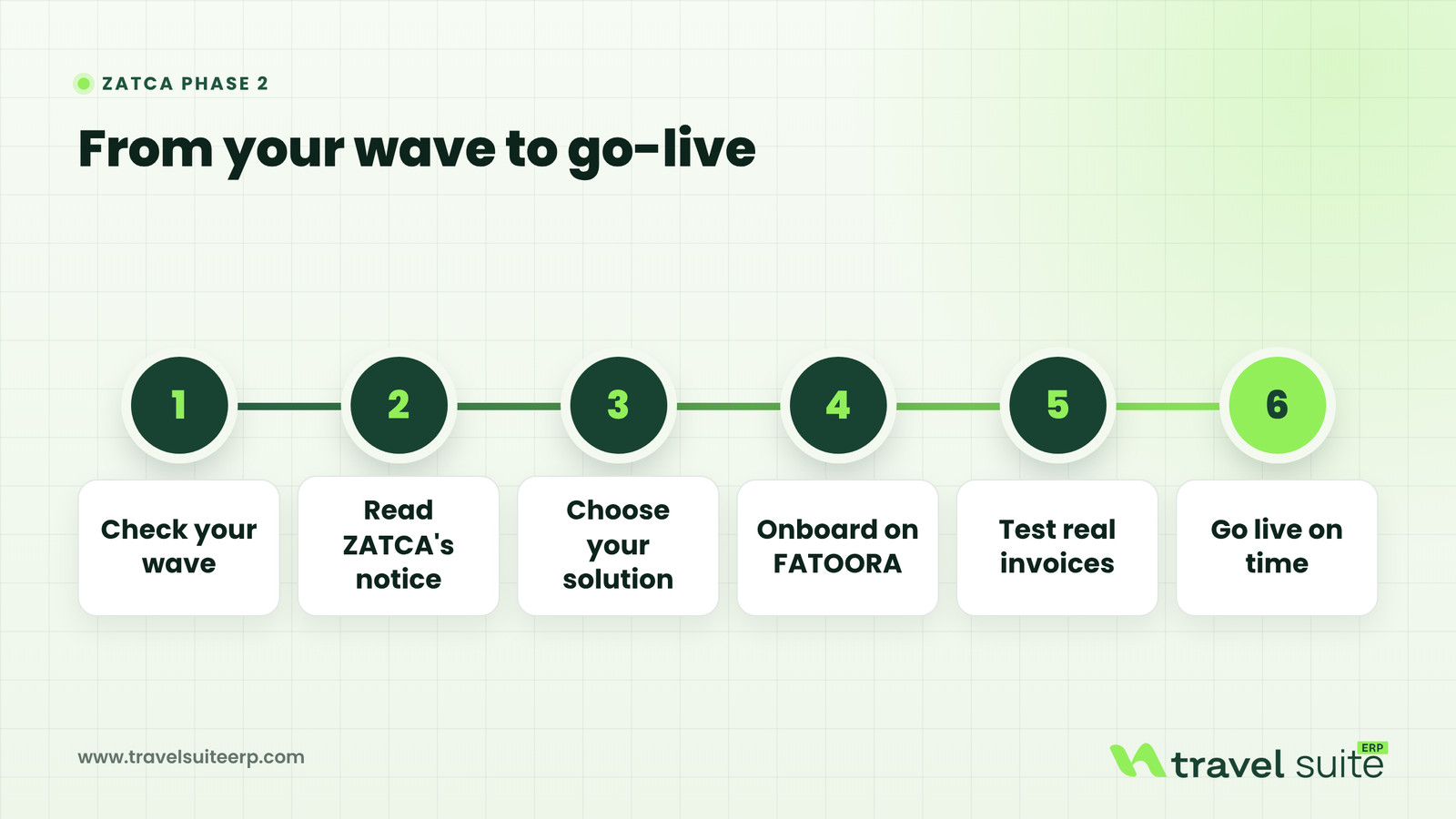
Phase 2 treats two kinds of tax invoice differently. Getting the split right is the single most important design decision for an agency, because the same booking flow often serves both companies and individual travellers.
Standard tax invoice. This is the invoice you issue to another business, for example a corporate client buying staff tickets or a sub-agent buying a group package. It goes through clearance: your solution sends it to FATOORA, ZATCA validates it and stamps it, and only then may you share it with the buyer. A standard invoice is only legally valid once cleared.
Simplified tax invoice. This is the invoice you issue to an individual, such as a family booking a holiday or a pilgrim paying for an Umrah package. It goes through reporting: your solution stamps it, you can hand it to the customer, and it must be reported to FATOORA within 24 hours of issue. ZATCA allows you to report it before or after you share it, as long as you stay within the 24 hours.
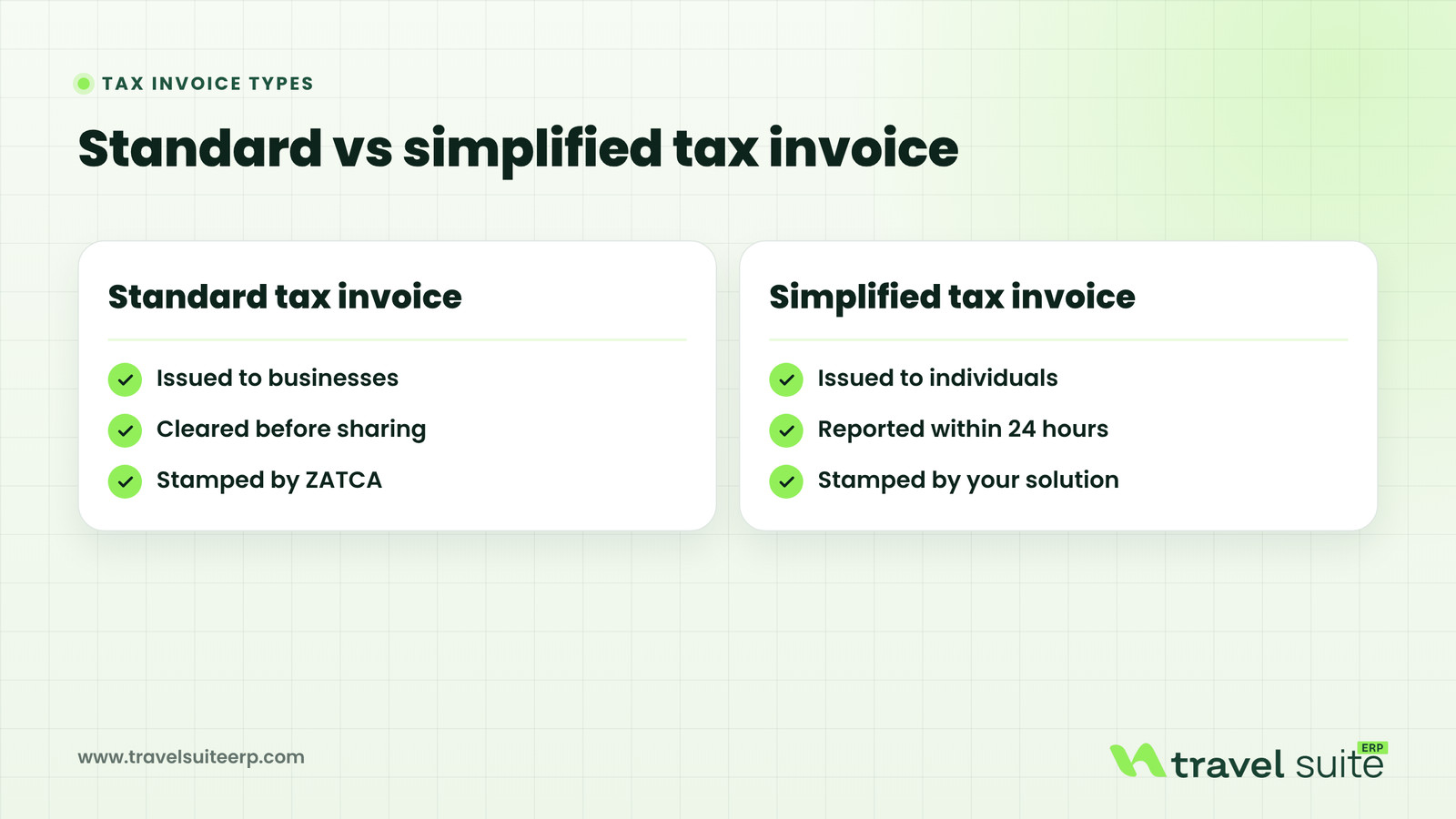
| Point | Standard tax invoice | Simplified tax invoice |
|---|---|---|
| Who receives it | Issued to businesses | Issued to individuals |
| When ZATCA sees it | Cleared before sharing | Reported within 24 hours |
| Who stamps it | Stamped by ZATCA | Stamped by your solution |
Credit and debit notes follow the invoice they adjust. A credit note against a standard invoice goes for clearance, and one against a simplified invoice is reported. Keep that rule in mind when you design refunds, which we cover below.
You do not need to read the XML standard yourself, but you should know the main parts, because they explain why data quality matters so much. In general terms, a Phase 2 e-invoice includes the following.
Once issued, an e-invoice cannot be edited or cancelled. If something is wrong, you issue a credit or debit note that references the original invoice. This is a change of habit for many agency teams, who are used to opening an invoice and fixing a name or an amount.
Before your system can send invoices, it must be onboarded. ZATCA describes each invoicing unit, such as a branch system or a counter device, as a solution unit that needs its own Cryptographic Stamp Identifier, or CSID. A CSID is a digital certificate that identifies the unit and lets it sign invoices and use the clearance and reporting services.
Ask early how many units you need. An agency with a head office, two branches and an airport counter may need several, and each one must be onboarded and maintained. The portal also lets you view, renew and revoke onboarded units, which matters when a branch closes or a device is replaced.
Generic e-invoicing guides assume a shop that sells a product once. Travel agencies are different: bookings change, travellers cancel, groups pay in stages and part of the price belongs to an airline or hotel. Each of these needs a clear rule before you go live.
The cleanest set-up is one where the invoice is created from the booking itself, not typed again. The booking already holds the customer, the services, the dates and the amounts. Decide at the booking stage whether the buyer is a business or an individual, because that decides whether a standard or simplified invoice is issued, and whether it must be cleared before it is sent.
For business customers, capture the VAT registration number and the legal name exactly as registered. A missing or mistyped VAT number is one of the most common reasons an invoice fails clearance, and a failed standard invoice cannot be shared with the client until it is fixed.
Because an issued e-invoice cannot be cancelled, every refund, cancellation or price reduction becomes a credit note linked to the original invoice. A change that increases the amount, such as a date change fee or an upgrade, becomes a debit note or a new invoice. ZATCA's guidance also says a note must relate to a prior supply, so do not use credit notes for general account adjustments.
Umrah and Hajj packages, group tours and long-haul holidays are often paid as a deposit followed by instalments. ZATCA's e-invoicing guideline describes an advance payment invoice issued when a payment is received in advance, and a later invoice that references it and deducts the prepaid amount. If the advance turns out larger than the final invoice and you refund the excess, a credit note is needed, and it also goes for clearance or reporting.
Whether and when each payment triggers a tax invoice depends on VAT rules, not only on e-invoicing rules. Confirm the treatment for your packages with ZATCA's VAT guidance or a tax adviser, then set your system to follow it every time.
Agencies earn money in different ways: a service fee on a ticket, a markup on a hotel, a commission from a supplier, or a package price that bundles everything. Some amounts may be the agency's own supply, and some may be costs passed through on behalf of a principal. The VAT treatment of each can differ, and travel services have their own rules.
We do not state rates or treatments here, because they depend on the exact arrangement and on current ZATCA guidance. Map every revenue type you have, write down how each should appear on the invoice, and have a tax adviser or ZATCA's published guidance confirm it before you configure your system.
Related guideSales are not profit: how to read your travel agency profit and loss
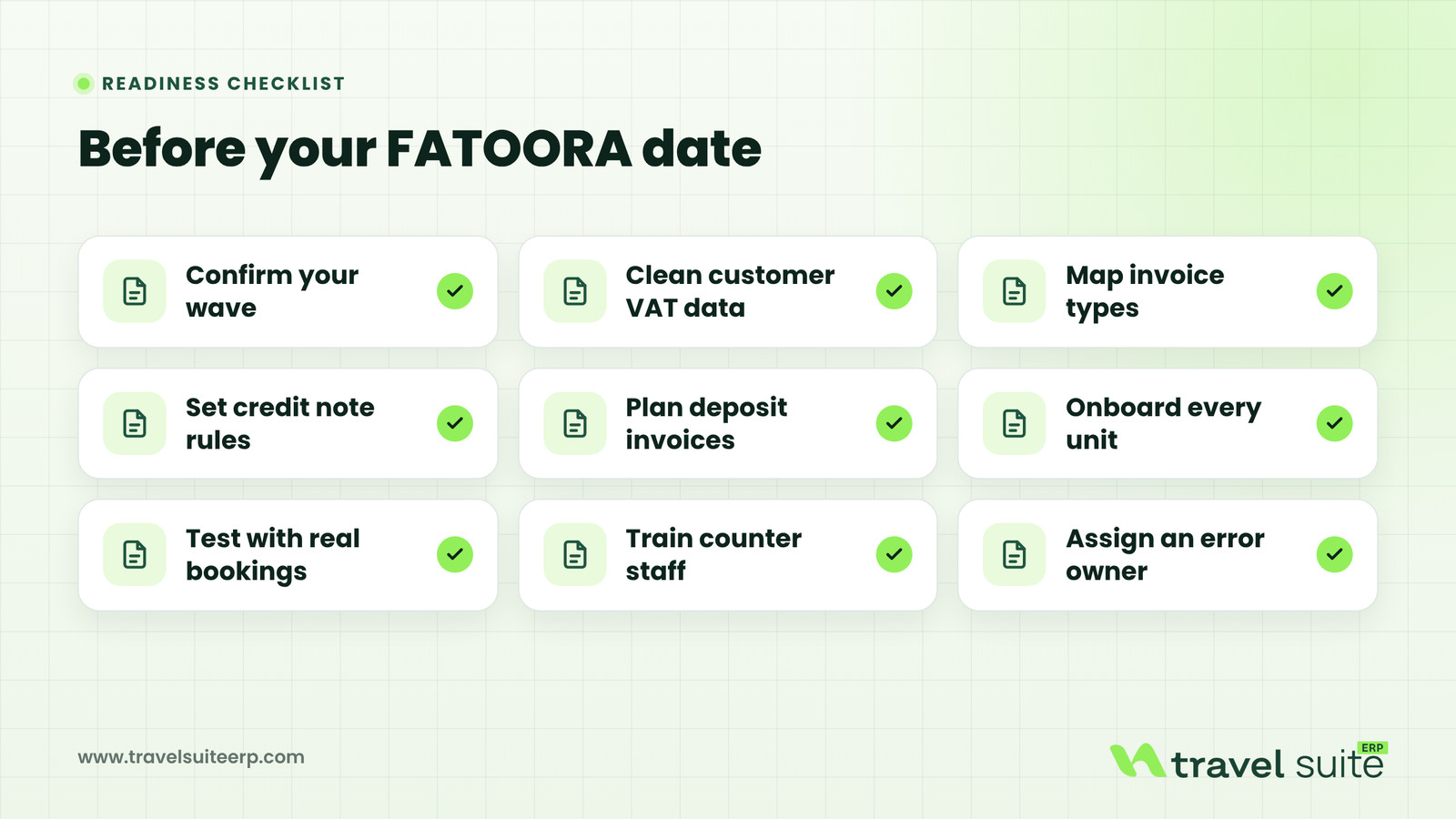
A calm go-live comes from doing the boring work early. The plan below fits most small and mid-sized agencies preparing for Wave 25. Adjust the timing to your own notice date and season.
Months six to five. Confirm your wave and integration date, check your registered contact details, and list every place invoices are issued today. Decide which invoicing solution you will use and whether it already supports Phase 2.
Months four to three. Clean your customer data, especially VAT numbers and legal names of corporate clients and sub-agents. Map each sale type to a standard or simplified invoice, and agree your rules for refunds, deposits and fees with your adviser.
Months two to one. Onboard each invoicing unit on FATOORA, run the compliance checks, and test with real scenarios: a corporate ticket, a walk-in hotel booking, an Umrah deposit, a partial refund. Train counter and accounts staff on what a rejection looks like and who fixes it.
Go-live month. Switch on production, watch clearance and reporting results daily, and keep a short log of errors and fixes for the first weeks.
Related guideHow to digitize your Hajj & Umrah agency before the next season
Many problems are not technical. They come from habits that worked with paper or spreadsheets and break under Phase 2.
Whichever system you choose, ask these questions in writing and keep the answers. A vague reply to any of them is a sign to dig deeper.
Related guideTravel agency software: the complete buyer's guide for 2027
TravelSuite ERP is adding the FATOORA integration for Saudi Arabia. It is not live yet. Business plan customers in Saudi Arabia get it as part of setup, and Enterprise contracts include it too. Ask our team for the go-live date before you plan your own timeline around it.
The integration is designed so your team keeps invoicing the way it does today. Invoices are created from bookings and quotations for tickets, hotels, Umrah packages, visas and tours. TravelSuite ERP then builds the e-invoice with the XML, QR code and cryptographic stamp, sends standard tax invoices for clearance and reports simplified invoices within 24 hours, and shows the result on the invoice.
Our team configures e-invoicing during onboarding, connects your tax registration and tests the first invoices with you. You can see the country details on the Saudi Arabia e-invoicing page and compare plans on the pricing page.
Related guideChecklist: how to choose the right travel ERP for your agency
This article is general information, not tax or legal advice. ZATCA's rules, waves and deadlines can change, so check ZATCA's official announcements and guidelines, or speak to a qualified tax adviser, before you act.
Sources
If your agency is in Wave 25 or expects to be, start the data clean-up now and talk to our team. We can walk you through how TravelSuite ERP handles bookings, refunds and deposits, and give you the go-live date for the FATOORA integration so you can plan with confidence.
If your agency is registered for VAT in Saudi Arabia, Phase 1 already applies, so your invoices must come from a compliant electronic solution. Phase 2 applies when ZATCA selects you in a wave. ZATCA has said Wave 25 covers taxpayers whose VAT-taxable revenue exceeded SAR 187,500 in any year from 2022 to 2025, which includes many small agencies. Check your own figures and ZATCA's announcement to confirm.
ZATCA announced that it will notify the taxpayers targeted in Wave 25 to integrate their e-invoicing solutions with the FATOORA platform by no later than 1 February 2027. ZATCA notifies each taxpayer of its date at least six months in advance by registered email and SMS. Your notice is the authoritative date for your business, so check it and keep your ZATCA contact details current.
Clearance applies to standard tax invoices issued to businesses. Your solution sends the invoice to FATOORA, ZATCA validates and stamps it, and only then can you share it with the buyer. Reporting applies to simplified tax invoices issued to individuals. Your solution stamps the invoice, you can give it to the traveller, and it must be reported to FATOORA within 24 hours of issue.
An issued e-invoice cannot be edited or cancelled. A refund, cancellation or price reduction becomes a credit note that references the original invoice, and an increase becomes a debit note or new invoice. The note follows the same route as its invoice: cleared if the original was a standard invoice, reported within 24 hours if it was simplified. Confirm any VAT effect with an adviser.
A Cryptographic Stamp Identifier is a digital certificate that ZATCA issues to each onboarded invoicing unit. It identifies the unit, lets it sign invoices and gives it access to clearance and reporting. You start onboarding on the FATOORA portal with a one-time password, pass compliance checks, then receive a production CSID. Each branch or counter system may need its own, and each must be renewed before it expires.
Not yet. TravelSuite ERP is adding the FATOORA integration for Saudi Arabia. Business plan customers in Saudi Arabia get it as part of setup, and Enterprise contracts include it. It is designed to clear standard invoices, report simplified invoices within 24 hours and link credit notes to original invoices. Ask our team for the go-live date before planning your own integration timeline.

The TravelSuite team builds travel booking and ERP software for agencies in Bangladesh, Malaysia, the GCC and the USA.
Book a free 30-minute walkthrough with our team.
 Finance
Most of what customers pay you belongs to suppliers. Learn how to read your agency's P&L, find your real margins and close each month with confidence.
 Guides
What IATA accreditation lets your agency do, which model fits, the documents you need, how to apply step by step, and what changes once you settle through BSP.
 Guides
How to get airline content into your booking system: direct GDS, a consolidator's API or NDC, what each needs, and how tickets should reach your accounts.
Book a free walkthrough or message our team on WhatsApp.
 Need help?Chat on WhatsApp